
40+ formats to extract
7Z, RAR/RAR5, ALZ, EGG, ISO, TAR.GZ, LZ4, Brotli, LZMA, and more. ZIP-family and legacy formats in one place.
Create AES-256 ZIP archives and extract 7Z, RAR, ALZ, EGG, ISO, and 40+ formats in one place. No ads, no account, no license server.
40+
formats supported
37
menu extensions
AES-256
ZIP encryption
0
ads · accounts
Why WinWinZip
Simple by default. Serious about formats, encryption, and Explorer integration.
7Z, RAR/RAR5, ALZ, EGG, ISO, TAR.GZ, LZ4, Brotli, LZMA, and more. ZIP-family and legacy formats in one place.
Create ZIP archives with AES-256 encryption. No ads and no in-app purchases—just the tools you need.
Extract archives with Auto extract, Extract here, or Extract to folder—or compress any file with WinWinZip. The app opens the destination folder and closes automatically after extraction.
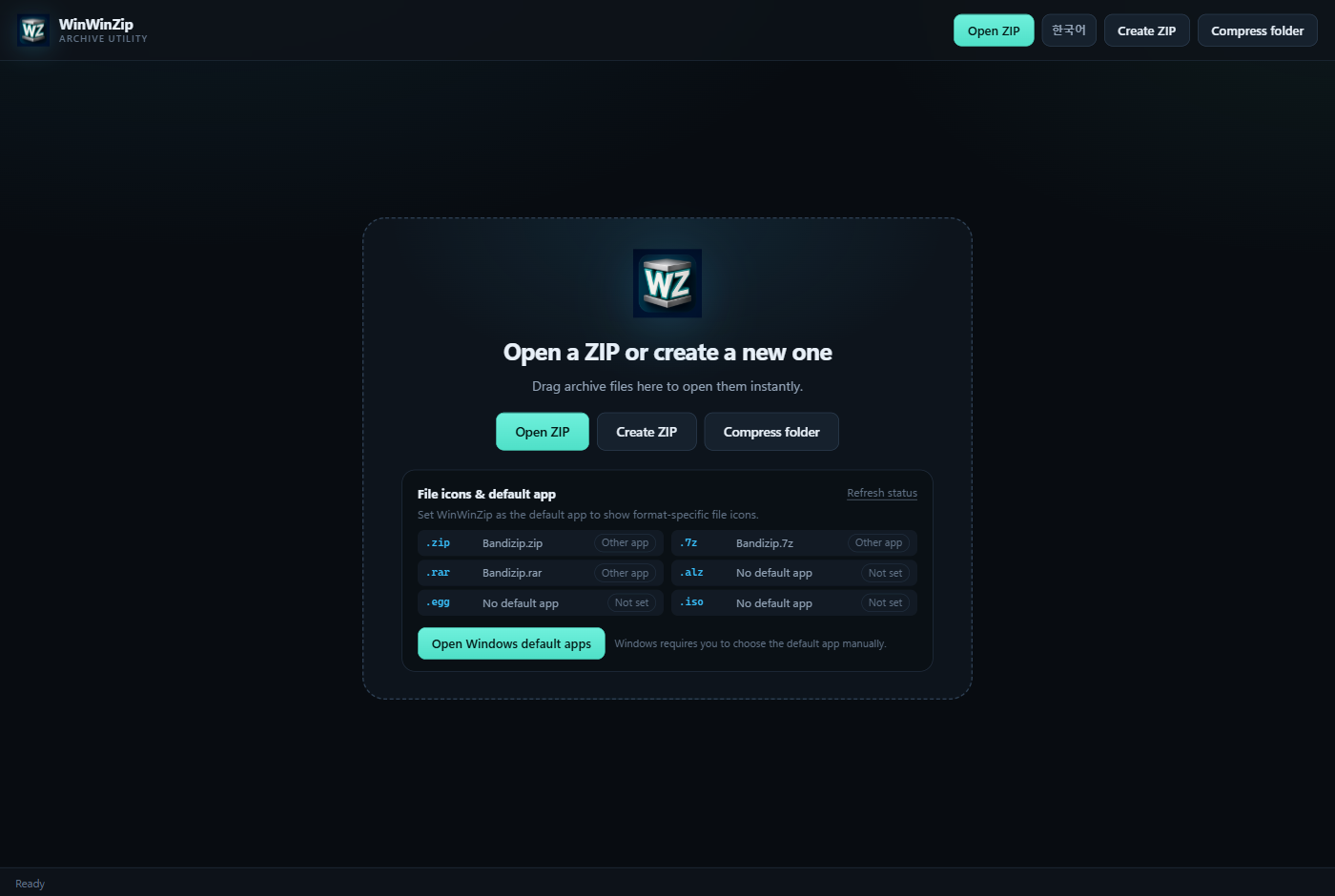
Format labels in the bottom-right corner of file icons. Shown after you set WinWinZip as the default app.
See the current default app for .zip, .7z, and .rar, and open Windows Settings in one click.
No telemetry, ads, accounts, or license server. Your files are processed on your PC.
Windows 11 integration
A WinWinZip flyout appears in the Windows 11 main menu. Pick the destination that fits your archive.
Auto extract — One top-level folder: extract in place; otherwise create an archive-named folder
Extract here — Extract into the folder that contains the archive
Extract to folder — Create a new folder named after the archive
MSIX / Store build · NSIS uses Show more options
 WinWinZip›
Windows 11 menu preview
Formats & icons
Format labels in the bottom-right corner of file icons. Choose WinWinZip as the default app to see them in Explorer.

LHA/LZH, SQ/SQ2, ADF/HDF, D64, and more legacy/disk-image formats are also supported. RAR/ALZ/EGG are extraction-only.
App screens
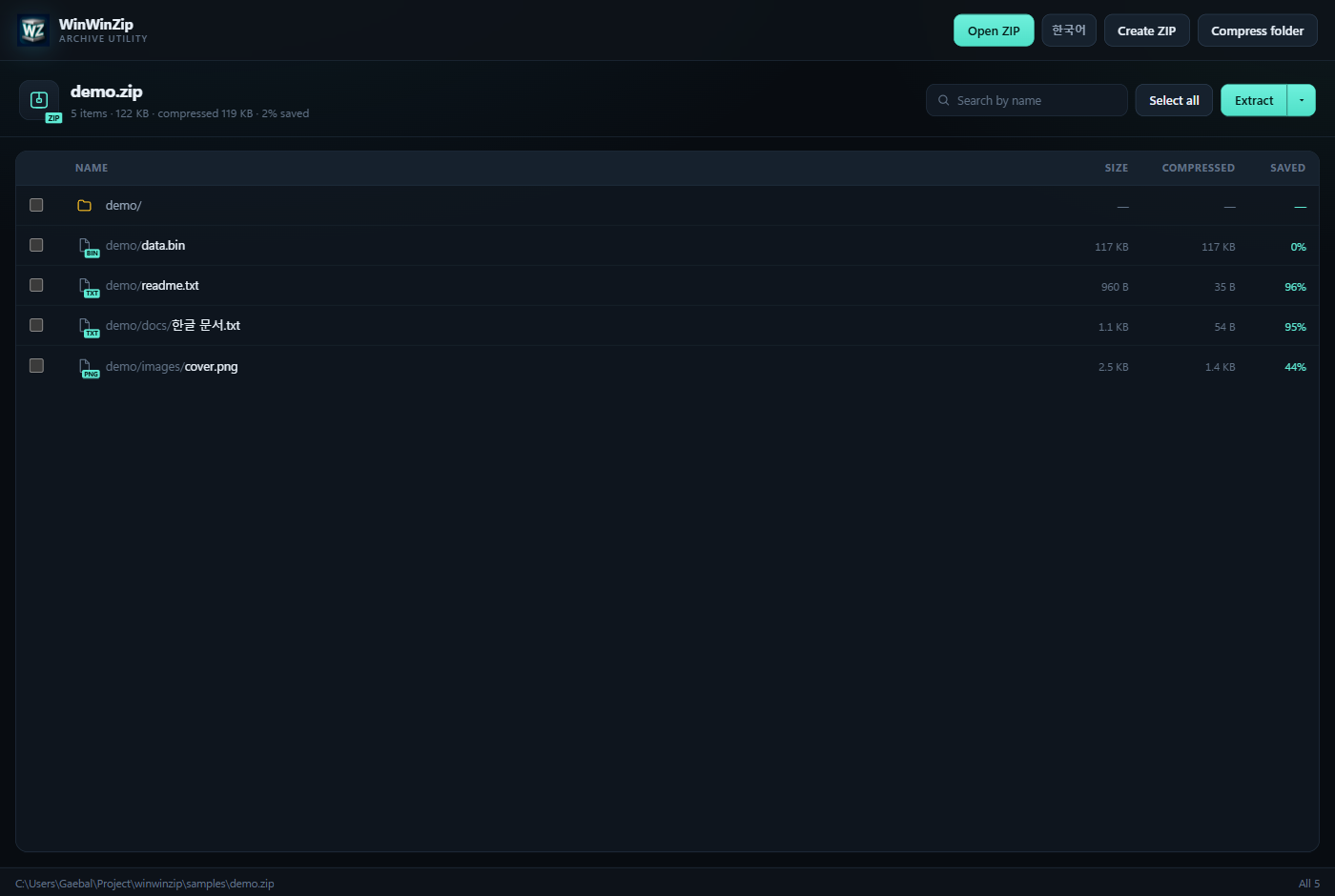
Open an archive, pick entries, and extract where you want. No setup maze.
Privacy first
WinWinZip never sends your files to a server. No account, ads, behavior tracking, or license checks—and it works offline.
View privacy policyWindows 10/11 x64. The installer is 4.6 MB, with no ads or accounts—just the features you need.
The builds are unsigned, so SmartScreen may show a warning.
MSIX is an unsigned package for Store/developer testing.
FAQ
Windows uses the default app’s ProgId for each extension. Open the File icons & default app card on the start screen, then choose WinWinZip for .zip, .7z, .rar, and other formats in Windows Settings.
The Windows 11 main menu is supported in the MSIX/Store build. The NSIS installer uses the classic Show more options menu. The current MSIX is an unsigned developer/Store test package.
No. RAR/RAR5, ALZ, and EGG are extraction-only. ZIP and AES-256 ZIP are the only creation formats.
None. WinWinZip works offline with no ads, accounts, in-app purchases, telemetry, or license server.
Use the NSIS installer for a normal installation. NSIS registers 37 ProgIds, DefaultIcons, and icons. MSI only registers Tauri’s basic file associations (.zip/.cbz/.zipx).
Still have a question? Email gaebal@winwin.email.